What should a cloud coding agent be allowed to access?
Understand Hoplite's source-control boundary, sandbox secrets, tool approvals and the access decisions your team still needs to make.
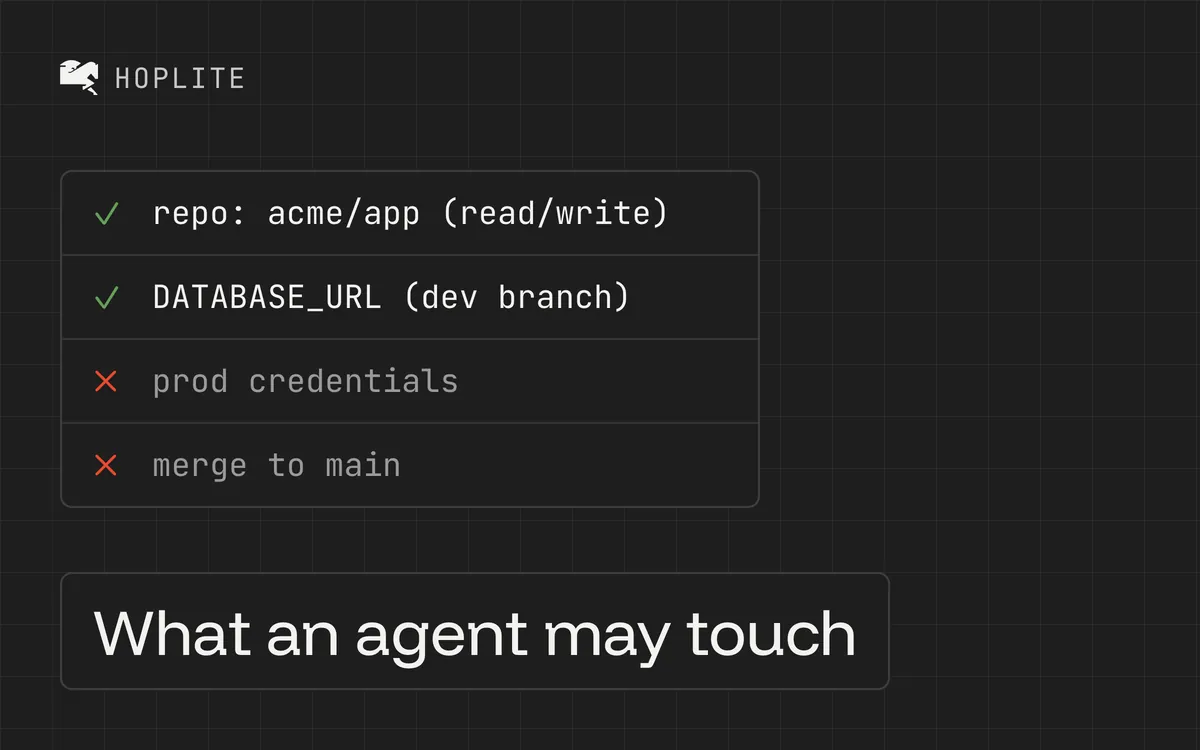
You connect a new integration to move faster and click through the permissions so the agent can start working. Only later you wonder what you just granted, because during setup each granted permission looks like progress.
An agent fixing a form might need to read the repository, run a local app and open a pull request. It probably doesn't need a production database password. That distinction can disappear during setup.
Before giving a Hoplite cloud agent access, follow the task through the systems it will touch. Decide which repository it needs, which services its tests require and which actions you expect it to take. Then grant that access deliberately.
Hoplite separates some credentials from the sandbox that executes agent work. Other secrets are intentionally available there so your app can run. Knowing the difference is more useful than treating "sandboxed" as a complete answer.
Keep repository authority out of the shell
Hoplite's raw sandbox shell does not receive a GitHub App credential. Its first-party source-control tools request a fresh token for each operation. The token is scoped to the repository and stays inside a trusted worker. Those tokens stay out of the remote URL, Git configuration, workspace filesystem and agent-authored shell. This is the boundary described in the security documentation.
An installed gh binary therefore doesn't mean an arbitrary shell command inherits the GitHub App's authority. The source-control tools provide the authorized route for repository operations.
Those tools still have meaningful powers. Hoplite supports creating and updating PRs, requesting reviewers and merging. First-party source-control calls do not require a separate approval prompt; repository binding, provider permissions and operation-specific checks constrain them. Review the tool permissions before assuming every publication action will stop for a click.
Choose the GitHub App's repository access and your repository's merge controls accordingly. Instructions such as "open a draft and don't merge" express the task boundary, while repository controls provide an additional enforcement layer.
Treat project environment variables as sandbox access
Project environment variables are encrypted secrets at rest, but Hoplite injects them into commands running in the sandbox. Your setup script, dev server, tests and ad hoc commands can use them. They must be available during execution to do their job.
That makes a development database credential a consequential choice. Prefer credentials limited to a disposable development environment. Keep production administration credentials out of a project that only needs to reproduce a UI bug.
Also inspect what your setup script does. A harmless-looking seed command can delete data if it points at the wrong database. Name the expected environment in the script's checks and make it fail before modifying an unexpected target.
The environment-variable documentation explains how values enter the sandbox. Encryption at rest doesn't change what an authorized running command can access.
Review MCP access separately
An MCP integration can expand an agent's reach beyond the repository. A server connected to an issue tracker may read project discussions; another may expose write operations or access to customer data.
Hoplite stores MCP credentials encrypted and decrypts them in the worker when connecting. Its CLI imports server addresses by default and asks separately before importing authentication state. An imported token grants the access it already had with your local tools.
Before connecting a server, inspect its available operations and the token's scope. Start with the access required for the task. If you later remove a credential from Hoplite, consider whether you also need to revoke or rotate it at the service that issued it.
Know which actions pause
Shell commands, protected file changes and disruptive sandbox operations require approval under Hoplite's documented tool policy. Routine repository-local edits and reads can proceed. Project script overrides can be updated without an approval prompt, while automatic-QA policy changes require one.
An approval is useful only if you inspect the action. Check the command, its target and any effect outside the temporary workspace. Repeatedly accepting prompts without reading them doesn't add much protection.
Hoplite also treats external search results and retrieved thread messages as untrusted reference material. That matters when a page or old conversation contains instructions unrelated to the current task.
Start with a small access inventory
For a first project, write down the repository, development services, configured environment variables and connected MCP servers. Record which actions you allow the agent to complete and which repository controls protect merging.
Then run one bounded task and inspect its activity timeline. If it requests broader access, ask what specific step requires it. A missing permission can be a legitimate setup issue. It can also mean the task needs to be narrowed before you add another secret.